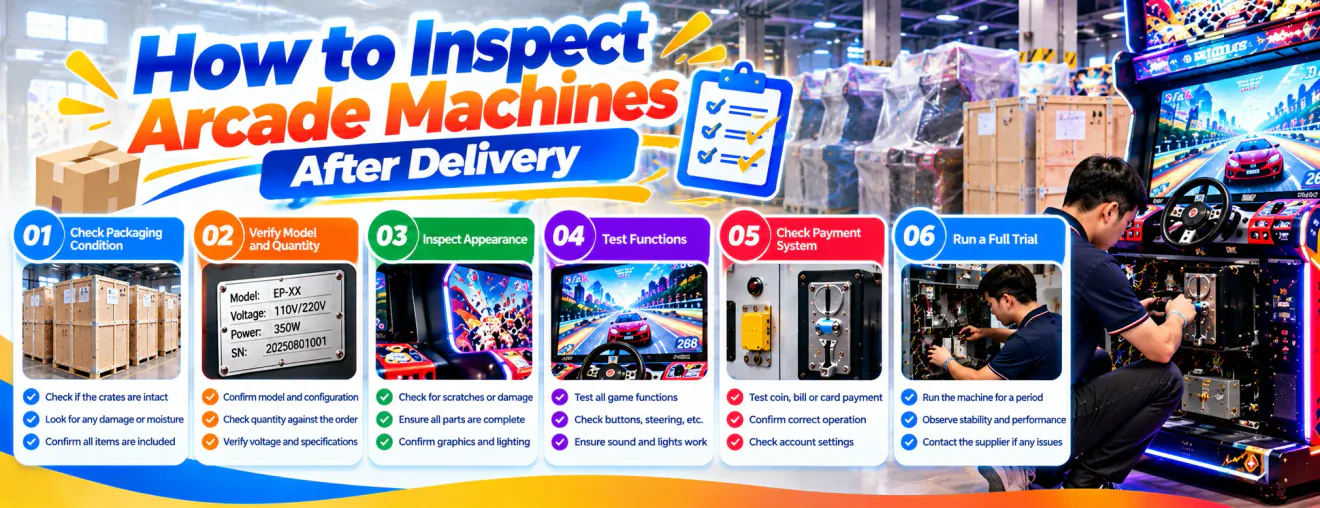
How to Inspect Arcade Machines After Delivery
Learn how to inspect arcade machines after delivery, document shipping damage, verify equipment quantities, test essential functions, and prepare for installation.
Introduction
Receiving a shipment of commercial arcade machines is an important stage in opening or expanding an entertainment venue. Before moving equipment onto the gaming floor, buyers should confirm that the delivered products match the purchase agreement and show no obvious transport damage.
A structured arcade machine delivery inspection helps importers, distributors, and venue operators identify problems, organize documentation, and prepare equipment for installation. The inspection process should follow the supplier's instructions and the agreed delivery terms.
Prepare Before the Shipment Arrives
Review Your Purchase Documents
Gather the purchase agreement, commercial invoice, packing list, confirmed specifications, and relevant shipping documents. These records provide the reference for checking quantities, models, accessories, and agreed configurations when the shipment arrives.
Arrange a Suitable Receiving Area
Choose a receiving area with sufficient space to unload, identify, and examine the equipment. Keep access routes clear and confirm that appropriate handling equipment and qualified personnel are available for large or heavy cabinets.
Assign Inspection Responsibilities
Decide who will check packaging, verify quantities, record visible damage, and communicate with the supplier. Assigning responsibilities helps prevent important details from being overlooked during a busy delivery.
Inspect Packaging Before Unloading
Check the Exterior Condition
Look for crushed corners, torn wrapping, punctures, water marks, broken supports, or other visible signs of damage. Record the condition of the shipment before removing protective materials, especially when packaging appears compromised.
Photograph the Shipment
Take clear photographs of the packages, shipping labels, container or vehicle conditions where relevant, and any visible damage. Photographs can help establish the condition of the goods at delivery and support later discussions with the carrier or supplier.
Record Delivery Irregularities
If packaging is damaged or packages appear missing, follow the carrier's procedures for recording exceptions. Review the applicable delivery terms and reporting deadlines rather than assuming that signing a delivery document has no consequences.
Verify Models and Quantities
Compare Equipment With the Packing List
Check the number of packages and identify the machines received. Compare model names, quantities, and package labels with the shipping documents to confirm that the shipment corresponds to the order.
Identify Individual Machines
Where serial numbers or product identification labels are available, record them alongside the relevant model. Accurate identification makes future warranty inquiries, spare parts requests, and maintenance records easier to manage.
Separate Unconfirmed Items
If an item cannot be identified or does not appear to match the order, keep its documentation separate until the discrepancy is resolved. Avoid making permanent modifications to equipment whose configuration has not yet been confirmed.
Examine Arcade Cabinets After Unpacking
Inspect Exterior Panels
After removing packaging according to the manufacturer's instructions, examine cabinet surfaces, doors, decorative panels, and visible structural parts. Look for scratches, dents, cracks, or displaced components that may have occurred during handling or transport.
Review Screens and Protective Covers
Inspect accessible displays, transparent covers, and other delicate surfaces for visible damage. Do not operate equipment with suspected damaged electrical or display components until the appropriate assessment has been completed.
Check Artwork and Branding
For customized machines, compare logos, colors, cabinet graphics, and other approved details with the order confirmation. Record any differences clearly so the supplier can determine whether they represent an agreed variation or an issue requiring correction.
Confirm Accessories and Supplied Parts
Check Included Accessories
Some arcade machines arrive with separate keys, cables, control components, documentation, or installation materials. Compare the received items with the agreed packing list and identify anything that appears missing.
Identify Parts Shipped Separately
Large cabinets or specialty attractions may be packed in multiple sections. Confirm which components belong together before assembly and retain identifying labels until the equipment has been verified.
Store Small Components Safely
Keep small accessories and installation materials organized by machine model. Mixing parts between different units can complicate installation, particularly when a shipment contains several game categories or customized configurations.
Check Installation Requirements
Verify Electrical Compatibility
Before connecting power, compare the machine's electrical rating and documentation with the venue's available supply. Voltage, frequency, plug configuration, grounding, and other requirements should be assessed according to the model and applicable local regulations.
Confirm Available Floor Space
Check the machine's actual installed dimensions against the venue layout. Allow for player positions, doors, circulation routes, ventilation, and maintenance access rather than considering cabinet dimensions alone.
Review Assembly Instructions
Some equipment requires assembly or installation adjustments after delivery. Follow the manufacturer's instructions and use appropriately qualified personnel for electrical, mechanical, or safety-critical work.
Perform Initial Functional Checks
Confirm Safe Startup
Once the equipment has been inspected and installed correctly, authorized personnel can perform the startup procedure described in the operating manual. Watch for abnormal sounds, unusual smells, error messages, or unexpected behavior.
Test Player Controls
Check the relevant buttons, joysticks, steering wheels, pedals, touchscreens, or other controls through normal gameplay. The specific test should reflect the machine's design and confirmed configuration.
Review Displays and Audio
Confirm that installed screens display the intended content and that sound functions operate as expected. For machines with multiple displays or specialized audio features, review each applicable function according to the product instructions.
Test Payment and Game Functions
Verify Payment Components
If the order includes coin acceptors, token mechanisms, card readers, or other payment devices, confirm that the installed components match the agreed configuration. Perform authorized payment tests only after any required setup has been completed.
Check Scoring and Reward Features
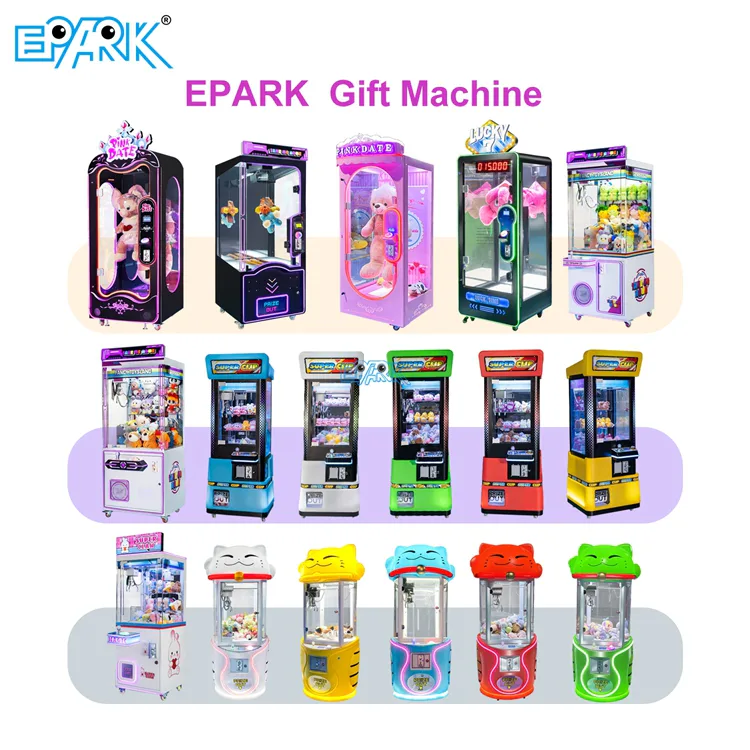
For sports and redemption machines, review scoring response and ticket or reward functions where fitted. For claw machines, check normal movement and prize delivery functions according to the model's operating instructions.
Confirm Game Completion
Run an appropriate gameplay test to verify that the machine can start, respond to inputs, and complete its intended sequence. Record unexpected interruptions or errors rather than repeatedly operating equipment that may require technical assessment.
Document Problems and Contact the Supplier
Create a Clear Inspection Record
Record the model, identification number where available, inspection date, observed condition, and any functional issues. Attach photographs or videos that show the problem without exposing staff to unnecessary hazards.
Report Issues Promptly
Notify the appropriate supplier or carrier contact according to the purchase agreement and shipping terms. Include the relevant documents and evidence so the issue can be evaluated efficiently.
Confirm the Corrective Action
Depending on the problem, the next step may involve technical guidance, an approved adjustment, replacement parts, or another agreed solution. Keep written records of instructions and confirm who is responsible for the work.
Prepare Machines for Venue Operation
Organize Final Placement
After inspection and any necessary corrective work, position machines according to the approved floor plan. Consider player comfort, circulation, service access, and the operating needs of each equipment category.
Train Venue Staff
Provide operators with the relevant instructions for startup, shutdown, cleaning, routine checks, and fault reporting. Staff should understand when to stop using a machine and request qualified technical assistance.
Establish Maintenance Records
Create a basic record for each machine covering its installation date, configuration, inspections, and future service activities. These records support maintenance planning and help identify recurring issues during commercial operation.
Frequently Asked Questions
What Should I Check First When Arcade Machines Arrive?+
Begin with package condition, package quantities, and shipping documents before unpacking. Record visible damage and follow the applicable carrier procedures for delivery exceptions.
Can I Test Arcade Machines Immediately After Unpacking?+
Only after confirming that the equipment is suitable for installation and following the manufacturer's instructions. Machines with suspected transport damage or electrical problems should not be energized before appropriate assessment.
What Should I Do if an Arcade Machine Arrives Damaged?+
Document the damage with photographs, retain relevant packaging and records, and contact the appropriate supplier or carrier promptly. Follow the reporting procedures and deadlines specified in the applicable agreements.
Why Is a Delivery Inspection Important for Bulk Orders?+
Bulk shipments may contain several models, configurations, and accessory packages. A consistent inspection process helps buyers identify discrepancies and organize installation more effectively.
Conclusion
A thorough arcade machine delivery inspection helps buyers move from international shipping to venue installation with greater confidence. Checking packaging, quantities, cabinets, accessories, and operating functions provides a practical basis for identifying problems early.
For distributors and entertainment venue operators, the most effective approach is to prepare documents before arrival, record inspection findings, and communicate clearly with the supplier. Proper installation, staff training, and ongoing maintenance then support reliable commercial operation.